Introduction
What Is AR in Retail Stores?
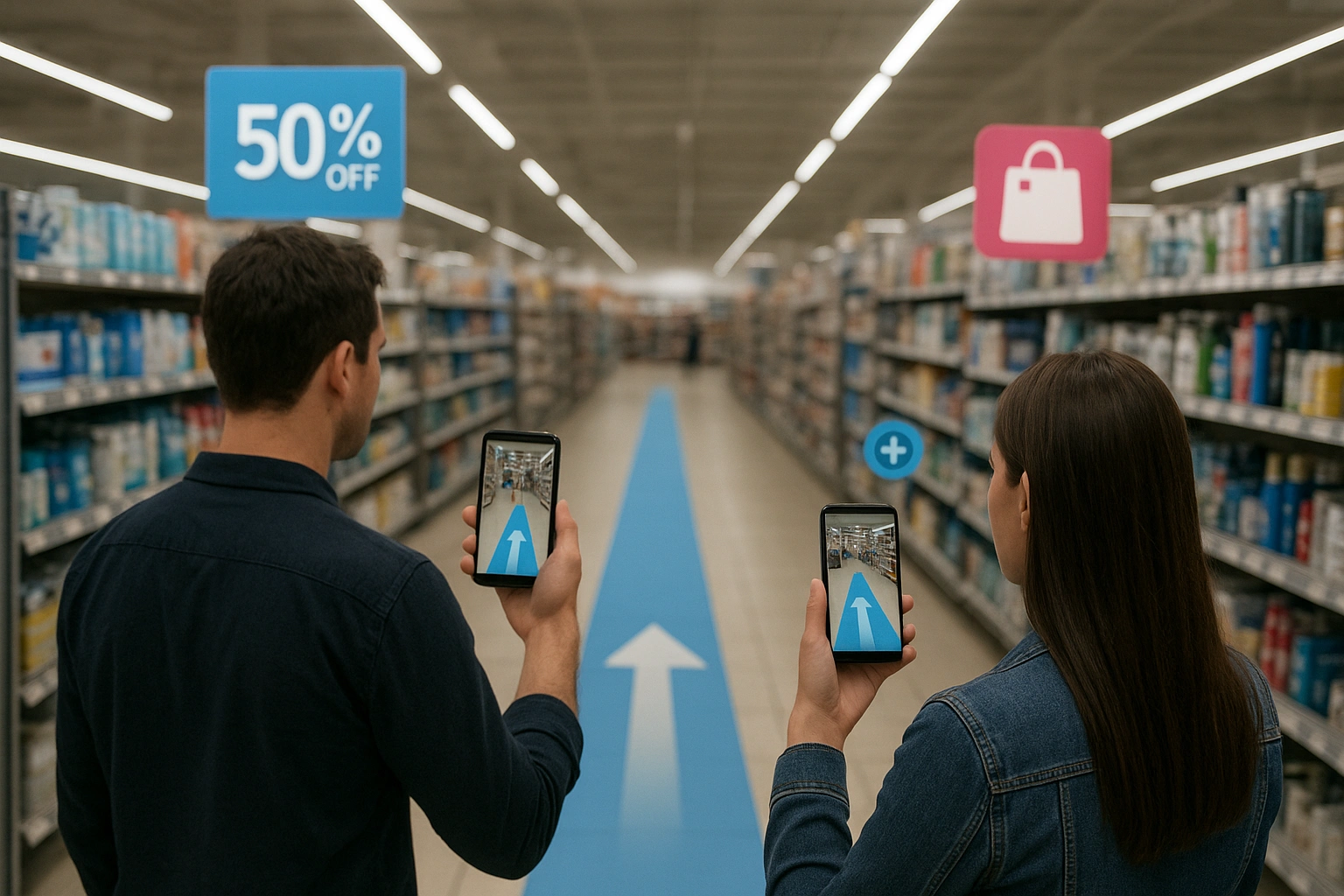
In 2025, this technology is moving from niche experiments to scalable solutions. A report from Forbes highlights the “phygital” trend—the blending of physical and digital experiences. The future lies in technologies like Google’s Visual Positioning System (VPS), which allows for persistent, multi-user AR experiences mapped to a digital twin of the store, creating truly **augmented reality aisles**.
Why In-Store AR is a Game-Changer
Implementing AR in your physical locations can solve key retail challenges and create a significant competitive advantage.
Eliminate Shopping Frustration
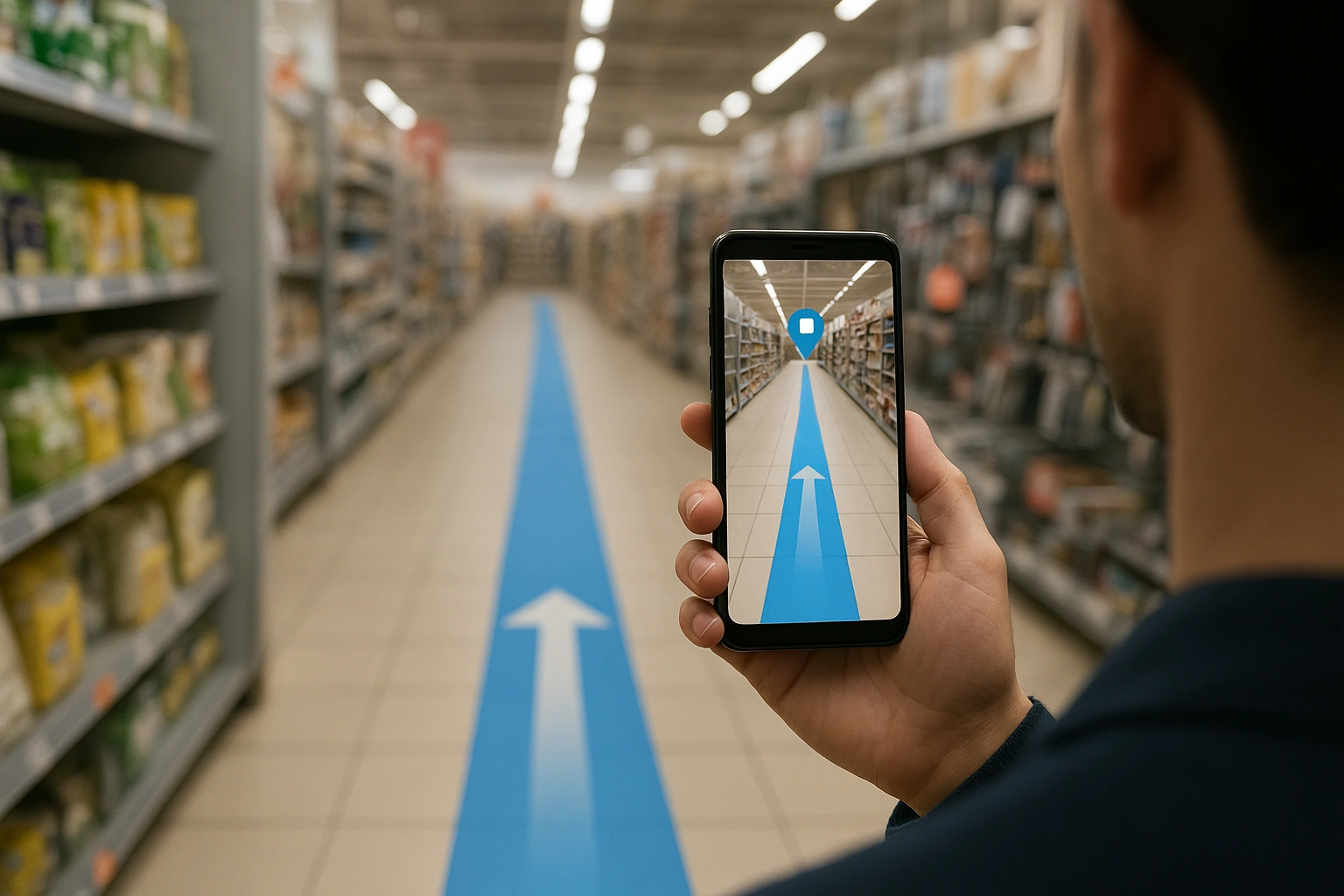
The most immediate benefit is solving the “I can’t find it” problem. AR wayfinding reduces friction, improves the customer experience, and gets shoppers to the point of purchase faster.
- Example: A customer types “gluten-free pasta” into the store app and a digital path appears on their screen, leading them directly to the correct aisle and shelf.
- Benefit: Increases customer satisfaction and reduces the likelihood of them leaving the store empty-handed.
Deliver Hyper-Personalized Promotions
AR allows you to deliver the right offer to the right person at the right time and place. By connecting to a customer’s loyalty profile, you can trigger promotions for products they’ve previously purchased or shown interest in.
- Example: As a customer approaches the coffee aisle, an AR promotion for their favorite brand pops up on their screen.
- Benefit: Increases basket size and the effectiveness of promotions by delivering them at the moment of decision.
Gamify the Shopping Experience
AR can turn a routine shopping trip into a fun, interactive experience. Scavenger hunts, loyalty point collections, and branded mini-games encourage customers to explore more of the store.
- Example: A grocery store creates a “catch the virtual fruit” game in the produce section to entertain kids (and parents). While different from e-commerce, you can learn more about the principles of AR for ecommerce here.
- Benefit: Increases dwell time, builds brand affinity, and creates a memorable experience that encourages return visits.
The Technology Behind Augmented Reality Aisles
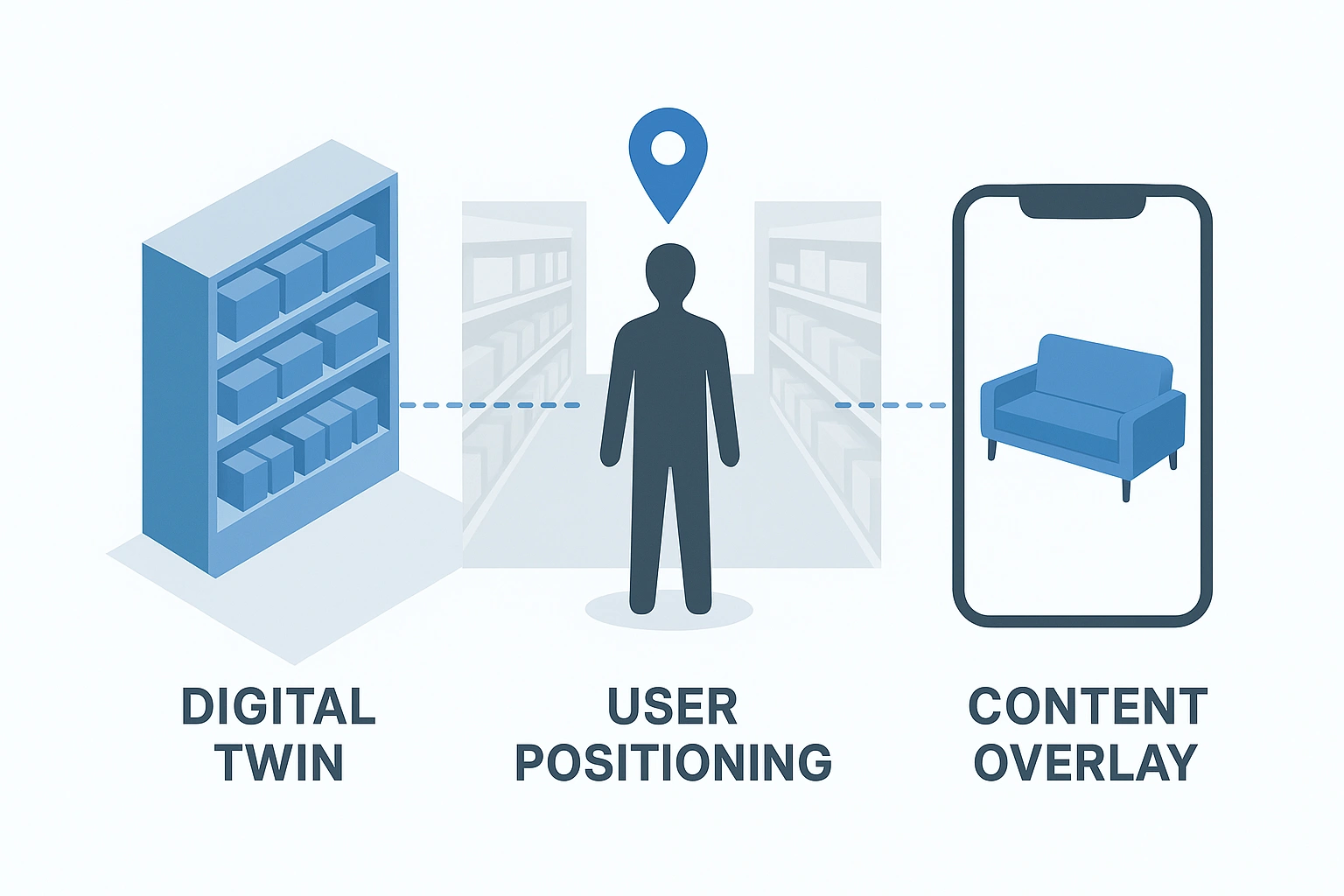
Creating a store-wide AR experience requires a digital map of your physical space.
- Creating a Digital Twin: The first step is to create a 3D map of the store. This is often done using specialized scanning hardware or platforms like Google’s VPS. This map allows the AR software to know where the user is with incredible precision.
- User Positioning: When a customer opens the AR feature, the app uses the phone’s camera to recognize visual features in the environment (like shelving, signs, and products) and matches them to the digital twin to pinpoint the user’s exact location.
- Content Overlay: Once the user’s position is known, the app can overlay the relevant digital content—be it a navigational path, a promotional pop-up, or a game element—anchored to the correct physical location.
Case Study: Lowe’s In-Store Navigation
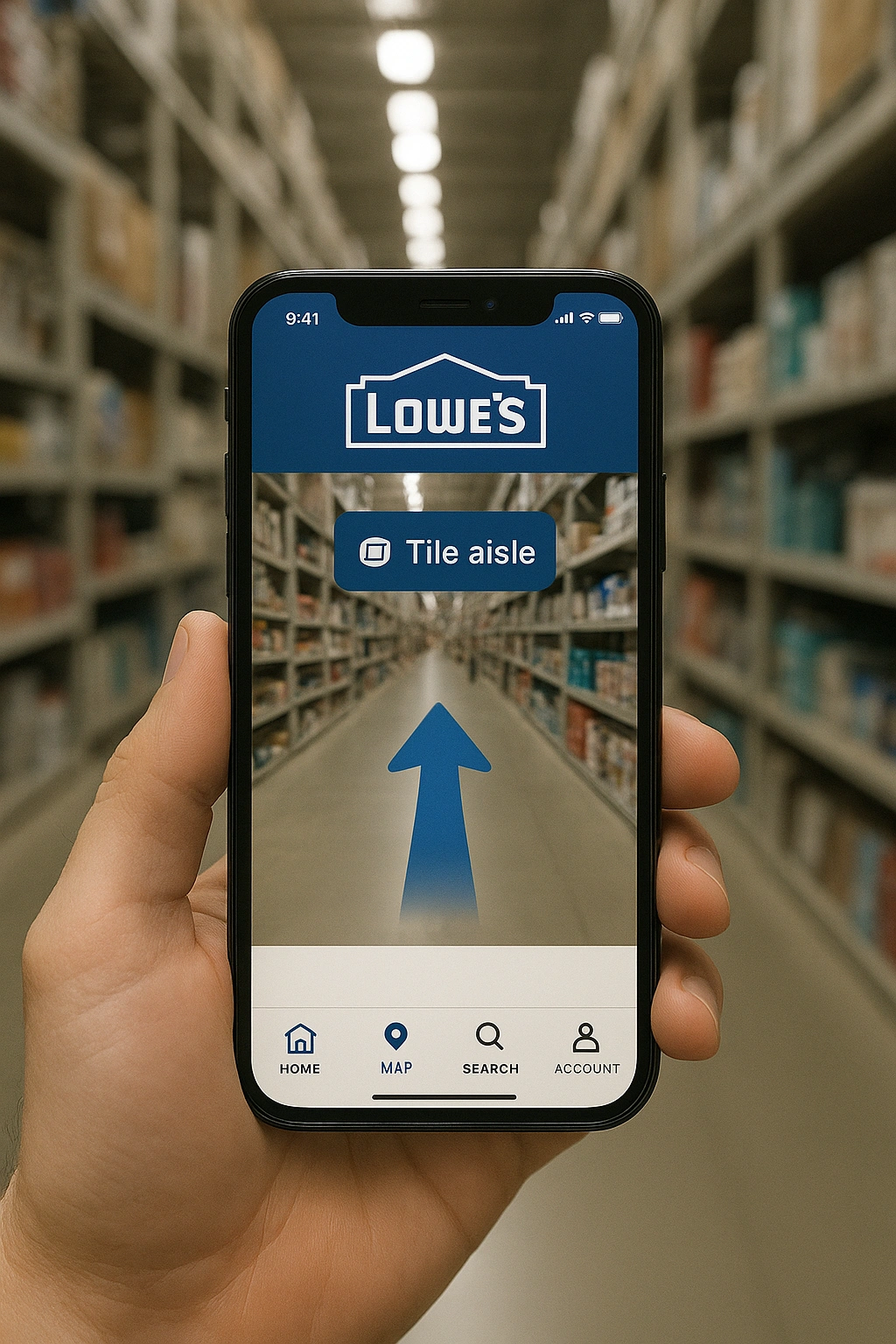
Lowe’s, the home improvement giant, was one of the early pioneers of in-store **AR wayfinding**. Using their mobile app, customers could search for a product and get a digital path overlaid on their camera view, guiding them through the massive, often confusing store layout.
This directly addressed a major customer pain point. Instead of having to find an employee to ask where toggle bolts are, the customer could be self-sufficient. The system used a combination of Wi-Fi and visual positioning to track the user’s location. It was a practical, utility-driven application of AR that provided immediate value to the shopper.
Pros & Cons of Lowe’s Approach
| Pros | Cons |
|---|---|
| ✅ Solved a significant customer frustration | ❌ Required users to download and use the store’s app |
| ✅ Provided a clear, practical utility | ❌ Early versions had issues with positioning accuracy |
| ✅ Kept customers engaged with the brand’s digital ecosystem | ❌ High cost to map and maintain each store’s layout |
Comparison of In-Store AR Applications
Retailers can implement AR in several ways to meet different objectives.
| Application | Description | Pros | Cons | Best For |
|---|---|---|---|---|
| AR Wayfinding | Turn-by-turn navigation to products. | High utility, solves a major pain point | Complex to set up | Large-format stores like grocery, DIY, and department stores. |
| Shelf-Level Promotions | AR pop-ups triggered by pointing a phone at a product. | Highly contextual, drives impulse buys | Can feel intrusive if overused | Grocery and CPG brands wanting to enhance their products on the shelf. |
| In-Store Gamification | AR games or scavenger hunts within the store. | High engagement, fun | Less direct link to sales | Brands wanting to increase dwell time and create a family-friendly atmosphere. |
Common Mistakes to Avoid
To ensure a successful in-store AR launch, avoid these errors:
- Poor Accuracy: If the wayfinding is off by a few feet, it’s useless and frustrating.
- Requiring a New App: The AR feature should be built into your existing store app that customers already use.
- No Wi-Fi: Not providing free, reliable in-store Wi-Fi makes the experience inaccessible.
- Out-of-Date Maps: Failing to update the digital twin when you change the store layout.
- No Employee Training: Staff should be able to explain and troubleshoot the AR feature for customers.
Expert Tips & Best Practices
Follow these tips from retail innovation leaders:
- Start with a Pilot Store: Perfect the experience in one location before a wider rollout.
- Integrate with Your Shopping List: The best wayfinding apps automatically route the user to every item on their in-app list.
- Promote it Heavily In-Store: Use clear signage with QR codes to encourage customers to try the feature.
“The ultimate goal of AR in retail stores is to make the phone an intelligent co-pilot for the shopping journey, not a distraction from it. Every feature, from navigation to promotions, should be in service of making the trip easier, faster, and more enjoyable.”
Frequently Asked Questions (FAQ)
Q: What is AR wayfinding?
A: AR wayfinding is like a GPS for indoors. It uses your phone’s camera to show you a digital path to a specific location or product within a building, like a retail store or an airport.
Q: Do customers need special glasses to use AR in retail stores?
A: No, almost all current in-store AR experiences are designed to work with the smartphones customers already have in their pockets.
Q: How much does it cost to implement in-store AR?
A: The cost can be significant, especially for creating the initial digital twin of the store. However, as the technology matures, costs are coming down, and platforms are emerging to make it more accessible for smaller retailers.
Conclusion
The physical retail store is not dead, but it must evolve. **AR in retail stores** provides a powerful way to merge the convenience of digital with the tangible benefits of in-person shopping. By guiding customers with **AR wayfinding** and delighting them with contextual **AR promotions**, retailers can create a superior shopping experience that boosts sales and builds loyalty. The journey to **augmented reality aisles** is an investment in the future of brick-and-mortar retail. To stay ahead of the curve, keep an eye on tech leaders like WIRED.